A lightweight Windows x64 client for network, digital and hybrid video recorders (NVR/DVR/XVR) and IP cameras built on Xiongmai (XM) boards. It connects directly by IP address and port using the native DVRIP (NETIP / Sofia) protocol, with 37 camera grid layouts for any monitor shape, direct MP4 export of recorded footage, and a built-in player.


Free demo for 30 days with all 37 grid layouts unlocked. Demo limits: 60-minute sessions, up to 2 recorders, a periodic "Demo Version" overlay, and 2 archive exports every 3 hours. The full version starts at $19 (one-time payment) - see pricing and license details.
Will it work with my recorder?
LuxBox works with recorders and cameras that use the DVRIP (NETIP) protocol. These are typically devices built on Xiongmai (XM) boards, sold under many brand names and usually managed with XMEye, CMS or VMS software. A quick check:
- The recorder is reachable from your PC by IP address (on your local network, or otherwise accessible by IP).
- The DVRIP port is available (default 34567).
- You know the recorder's user name and password.
Please note: LuxBox connects directly by IP address and port only. Connecting through the manufacturer's cloud service (by serial number or QR code) is not supported. The easiest way to find out is to install the free demo and add your recorder - you can test with your own device before buying.
Key features
-
Live view in grids that fit your screen.
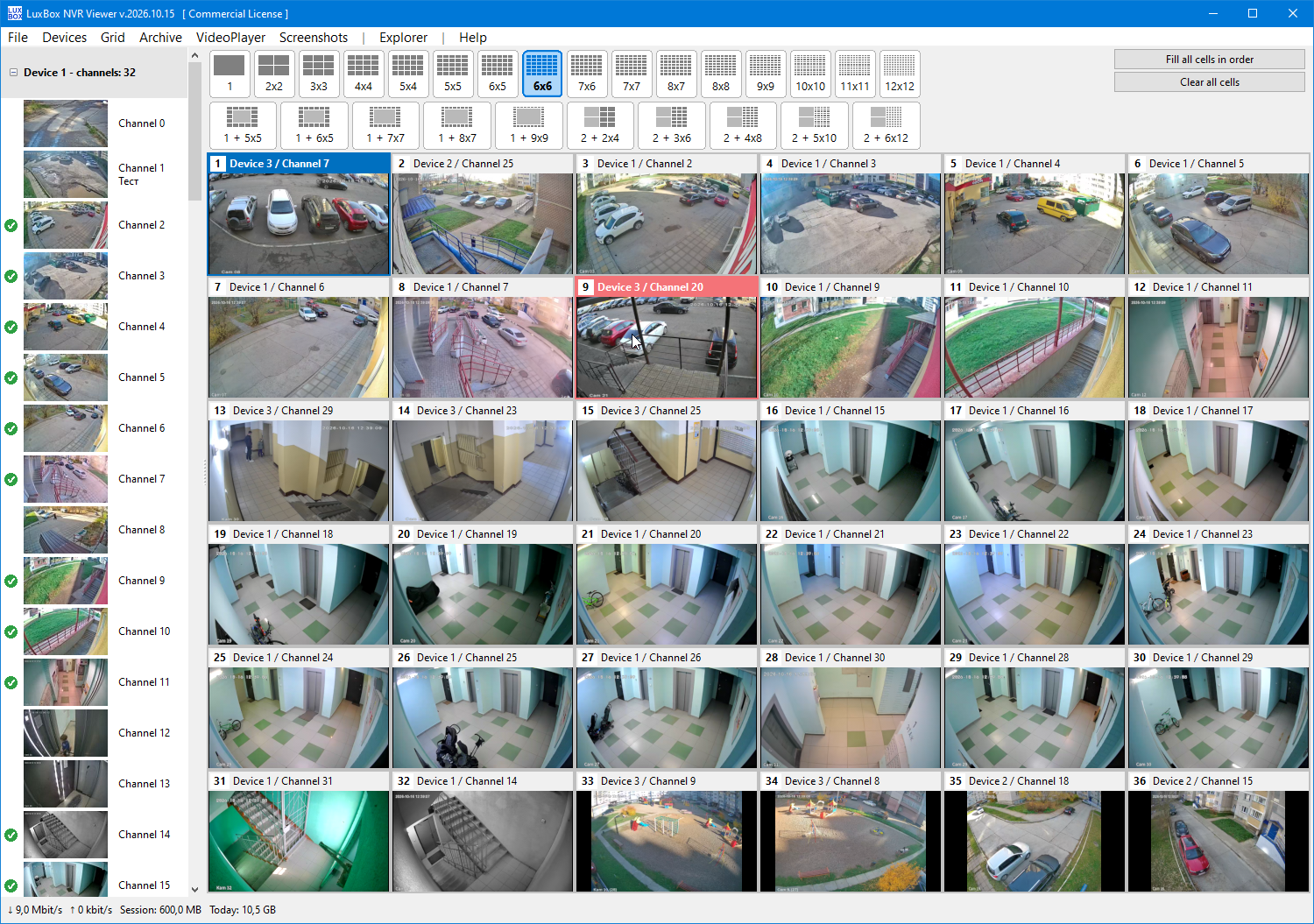
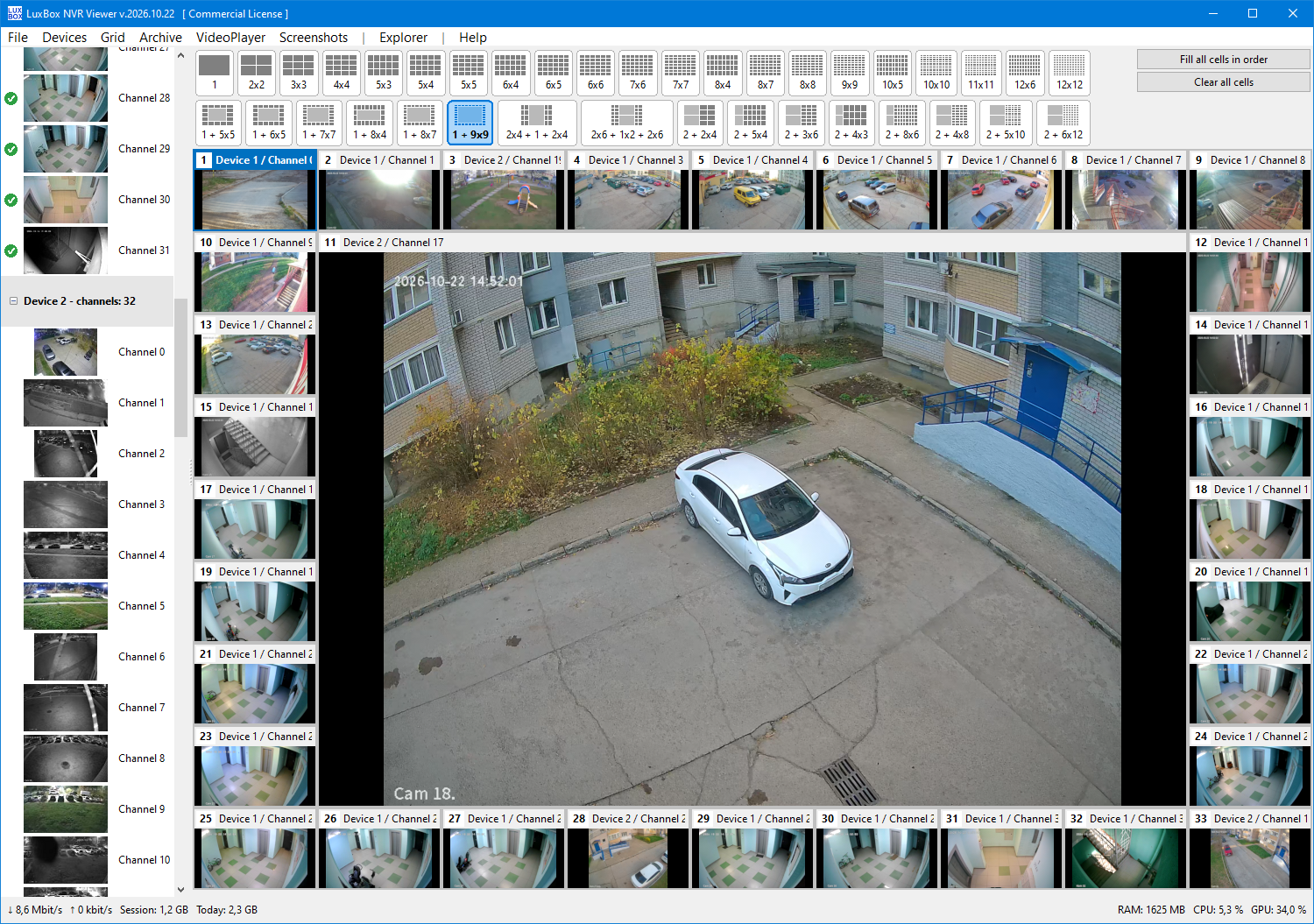
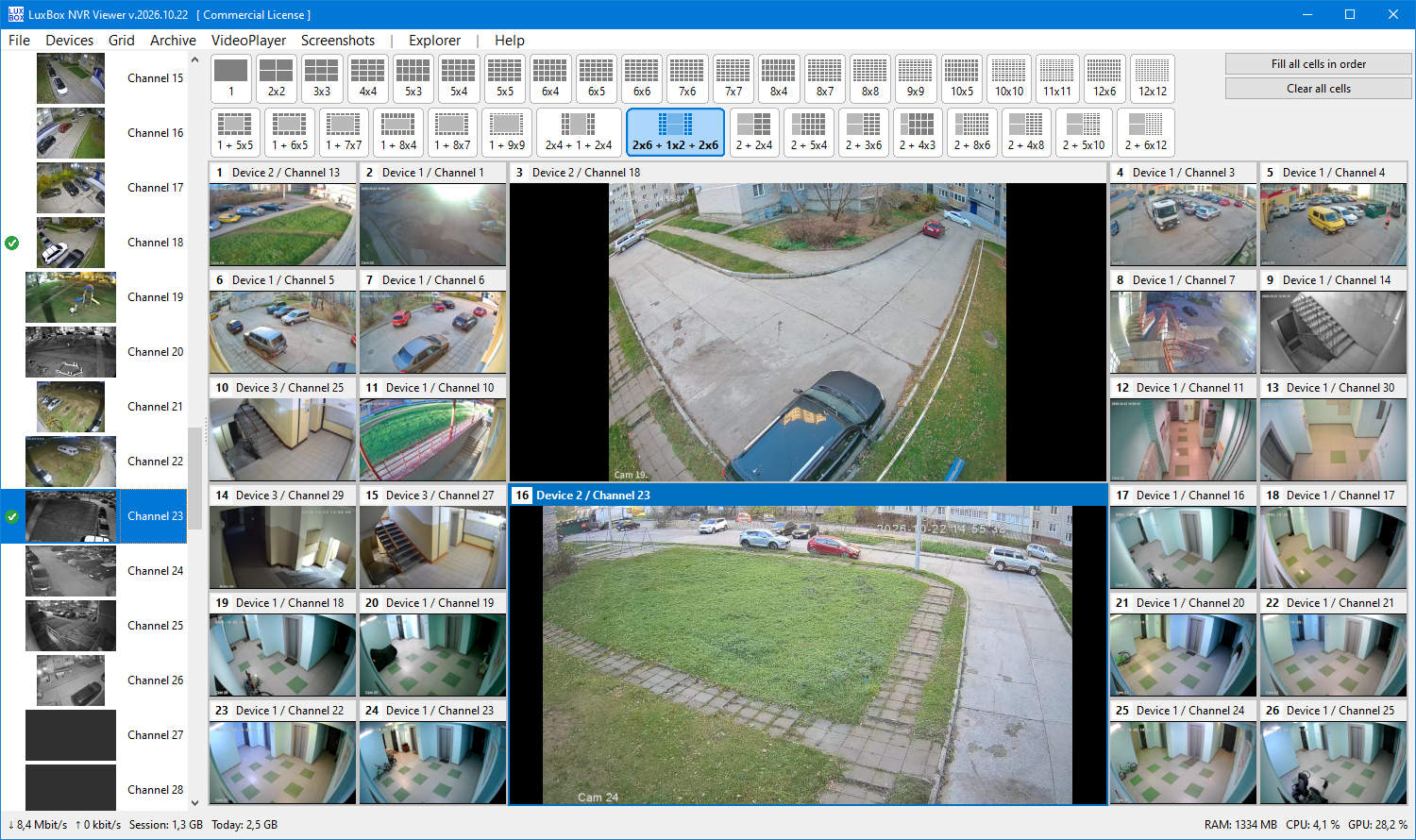
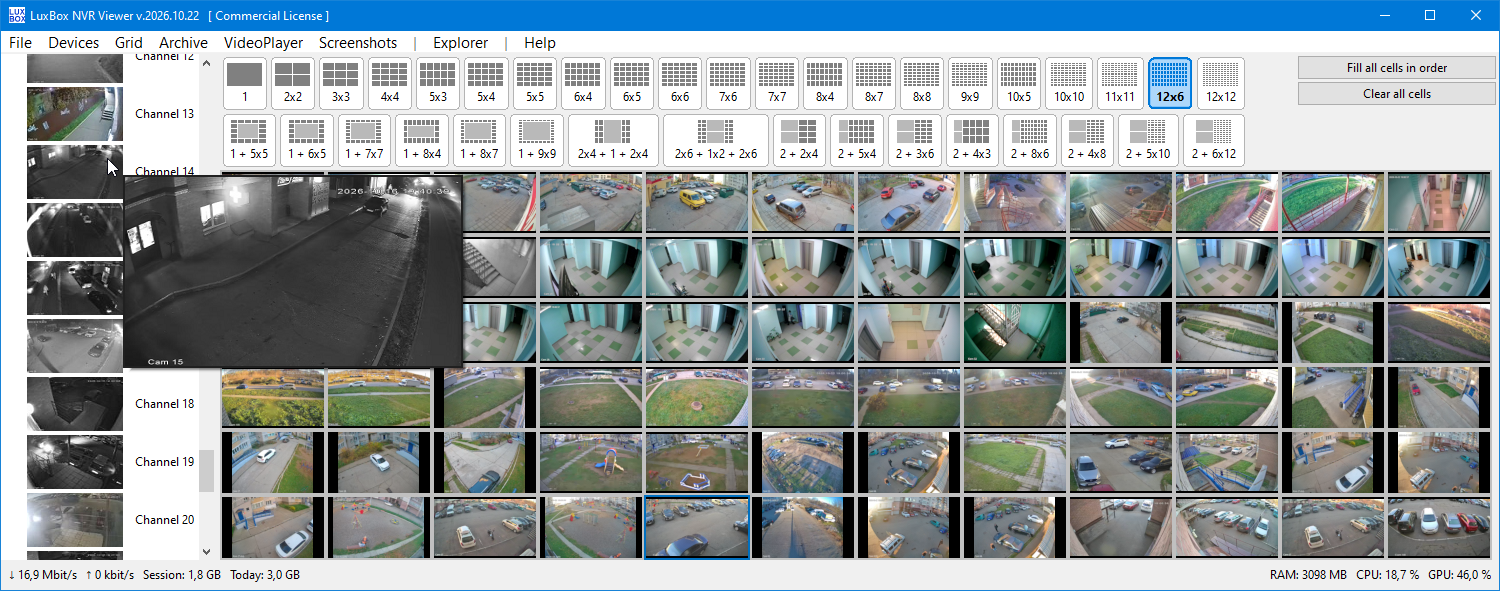
- 37 camera layouts for 4:3, 16:10, 16:9 and ultra-wide 21:9 monitors, from a single camera up to 12x12. Asymmetric layouts (for example 2x6+1x2+2x6 or 1+7x7) fill the screen without black bars or stretched video.
- Dynamic streaming: dense grids use lightweight sub-streams to reduce CPU/GPU load, and a channel switches to the main stream when you maximize it or place it in a large cell.
- Live thumbnails in the channel list, and any channel can be opened in full resolution in its own window without disturbing the main grid.
-
Archive playback and direct MP4 export.
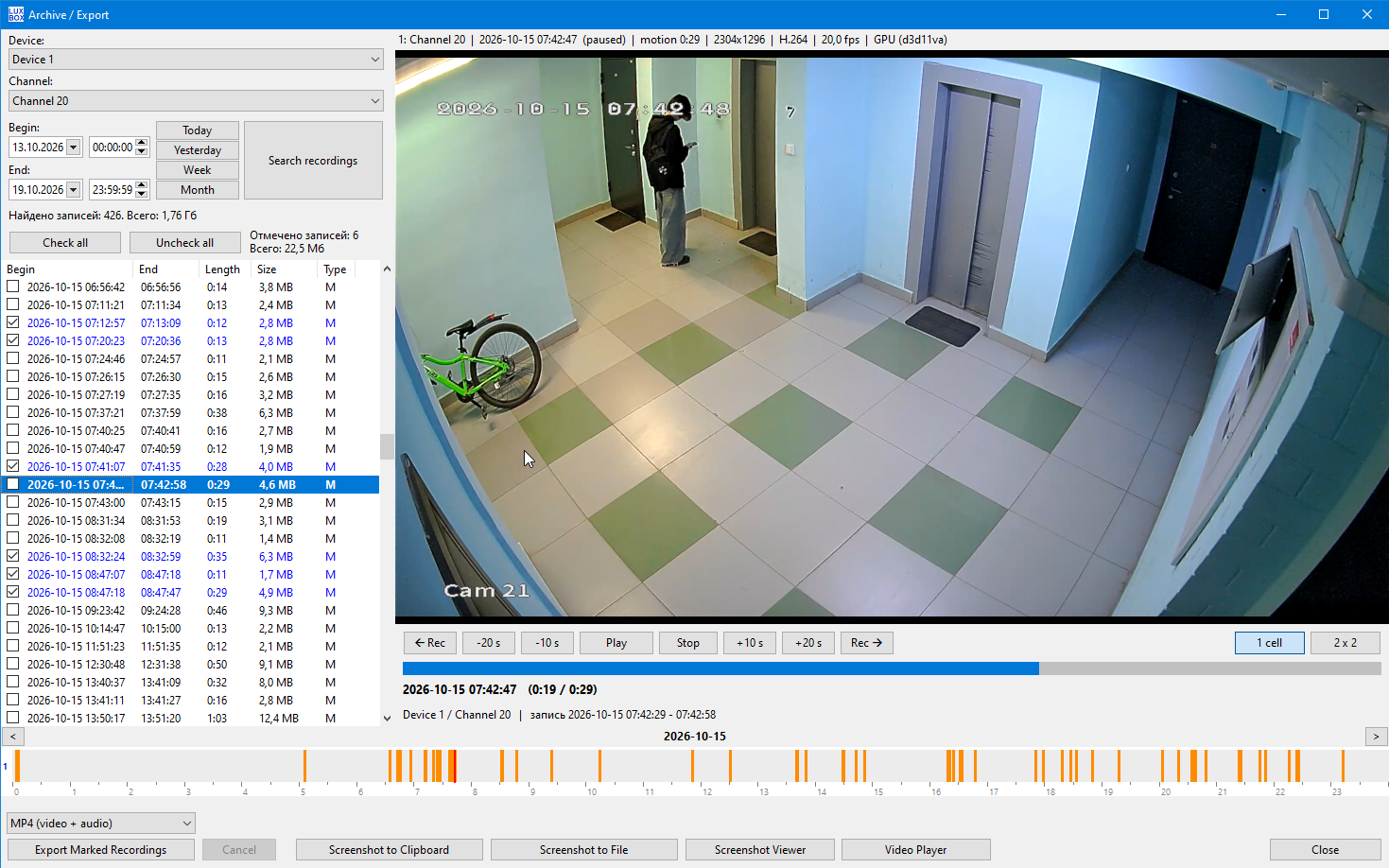
- 24-hour timeline for quick searching, with one-click skipping to the previous or next day.
- Recorded footage is saved straight to standard
*.mp4files. The H.264/H.265 stream is repackaged without re-encoding, so quality is unchanged and no conversion step is needed. - Downloads run in the background with progress bars, so you can keep watching live video.
-
Built-in video player.
- Local archive organized as Device / Channel / File.
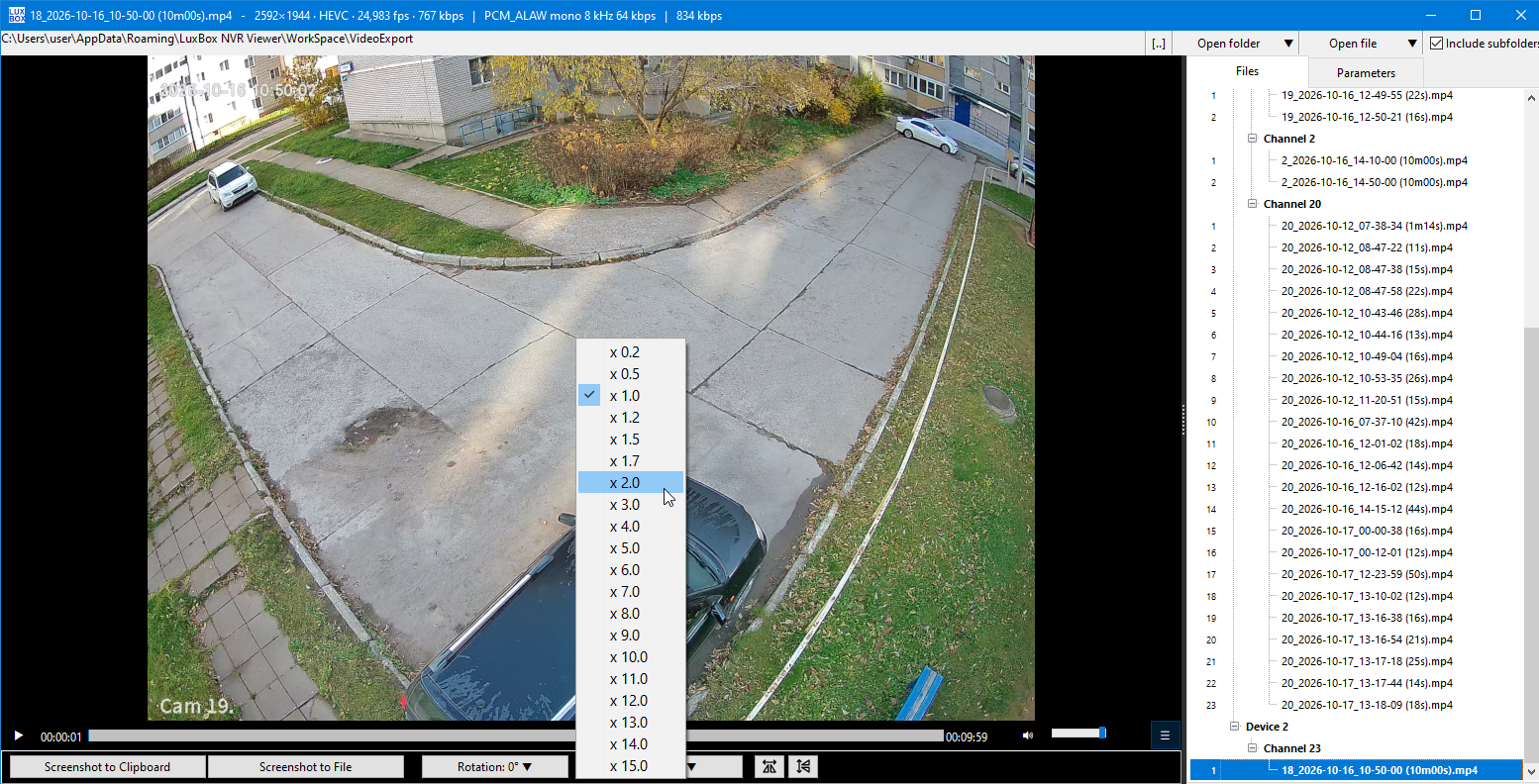
- Playback speed from x0.2 to x15.
- Rotation by 90°/180° (useful for upside-down cameras) and horizontal/vertical mirroring.
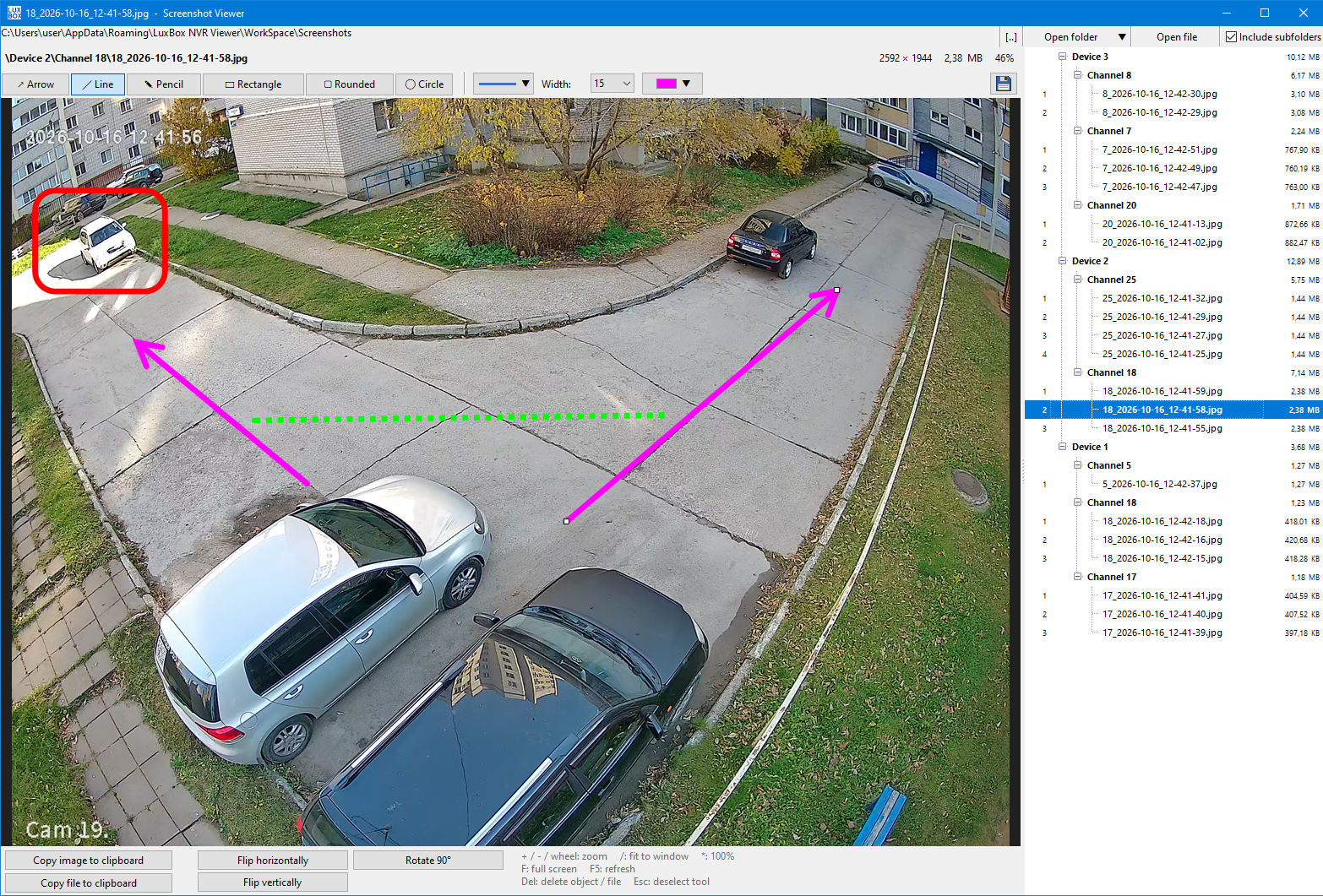
- Screenshots with markup. Capture a frame from live view, remote archive or the local player, then highlight objects with lines, rectangles and circles in the built-in viewer.
- Several windows at once. The live grid, archive, downloader, player and screenshot editor run independently, each with its own taskbar button. Switch with Alt+Tab without interrupting video or downloads.
- Light on resources. GPU-accelerated H.264/H.265 decoding and a native Windows application (no Java, .NET, Python, Qt or Electron). A real-time traffic counter shows network load in total and per channel.
LuxBox NVR Viewer vs. the official CMS/VMS
Official clients differ by manufacturer and version, so the right column describes what is common rather than a rule. The official software is free and supports cloud access, which LuxBox does not.
| Feature | LuxBox NVR Viewer | Official CMS / VMS (typical) |
|---|---|---|
| Connection | Direct by IP address and port (DVRIP). No account and no cloud. | IP address and, in most clients, cloud access by serial number. |
| Price | Free 30-day demo; full version from $19, one-time payment. | Usually free. |
| Application type | Pure Native Windows Application: Engineered as a fully compiled native binary without relying on heavy, resource-hogging frameworks (No Java, .NET, Python, QT or Electron required). | Varies by vendor and version. |
| Windows | Live grid, archive, downloader, player and screenshot editor in separate windows. | Usually one main window with panels. |
| Archive export | Direct *.mp4, repackaged without re-encoding, in the background. |
Often the recorder's own format (such as .h264 or .dav), which may need conversion for other players. |
| Player | Speed x0.2 to x15, 90°/180° rotation, mirroring. | Features vary; rotation and mirroring are often missing. |
| Screenshots | Built-in markup tools (lines, rectangles, circles). | Usually saves a plain snapshot. |
| Grid layouts | 37 layouts for 4:3, 16:10, 16:9 and 21:9, including asymmetric ones. | Usually a fixed set of standard layouts. |
| Privacy | No ads, no telemetry, no cloud registration. | Cloud login and ads depend on the application. |
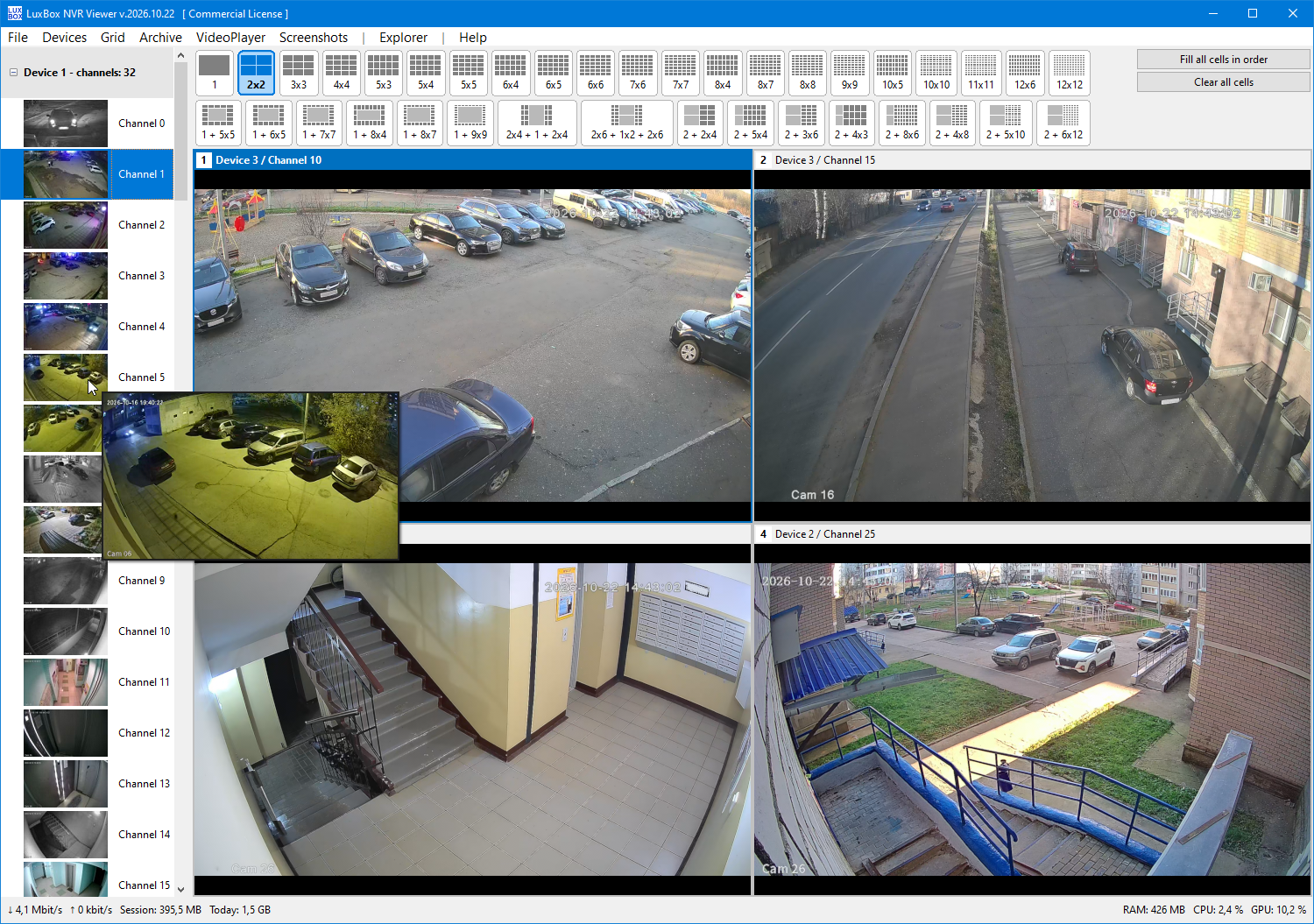
LuxBox NVR Viewer - Grid 2x2:
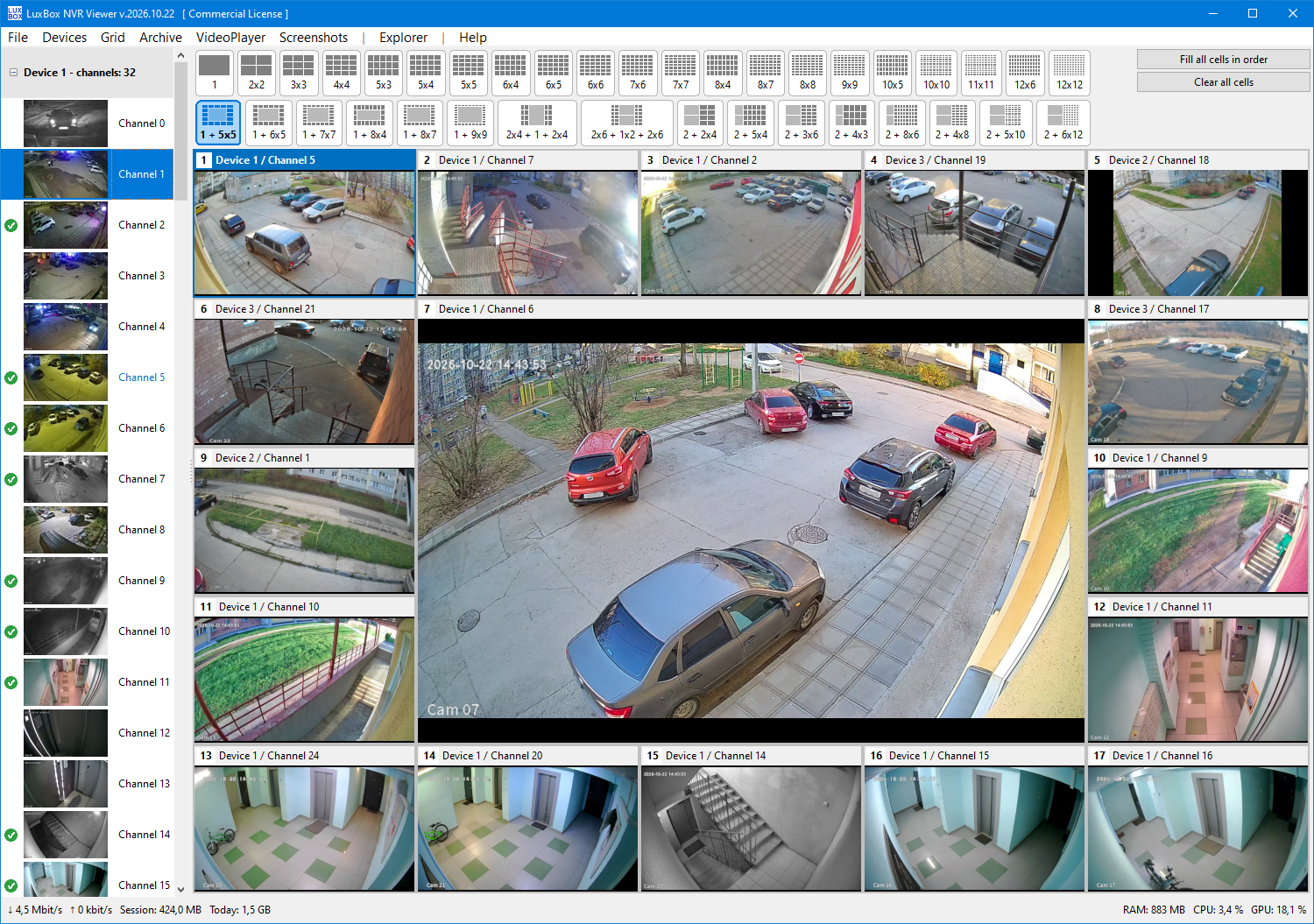
LuxBox NVR Viewer - Grid 1+5x5:
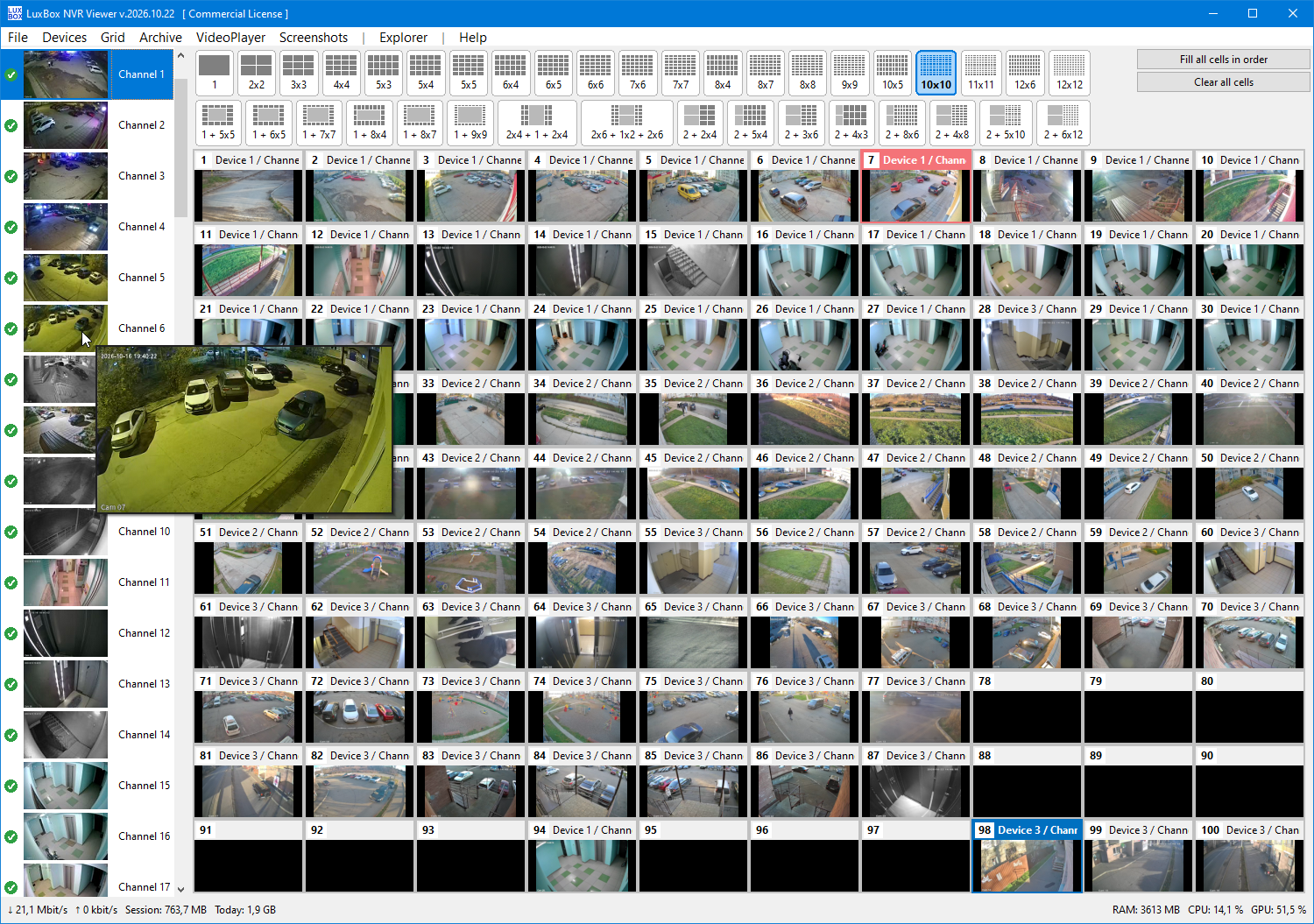
LuxBox NVR Viewer - Grid 10x10 (100 cameras in one window):
LuxBox NVR Viewer - Grid 1+9x9:
LuxBox NVR Viewer - Grid 2x6+2+2x6:
LuxBox NVR Viewer - 21:9 mode:
LuxBox NVR Viewer - Recordings Archive:
LuxBox NVR Viewer - Video Player:
LuxBox NVR Viewer - Screenshot Viewer with Markers:
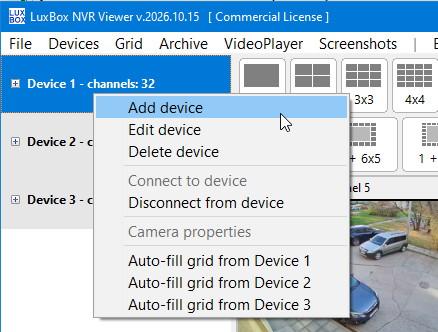
LuxBox NVR Viewer - Add Device:
Try it with your own recorder. Download the free demo, add your recorder by IP address and port, and see how it works with your cameras. If it suits you, the full version removes the demo limits: no overlay, no session limit, unlimited archive downloads. See pricing and license options.
A small, one-time investment in a license is your ticket to a stable, lightning-fast, and stress-free surveillance workflow without compromises. Protect your video data and your peace of mind today!